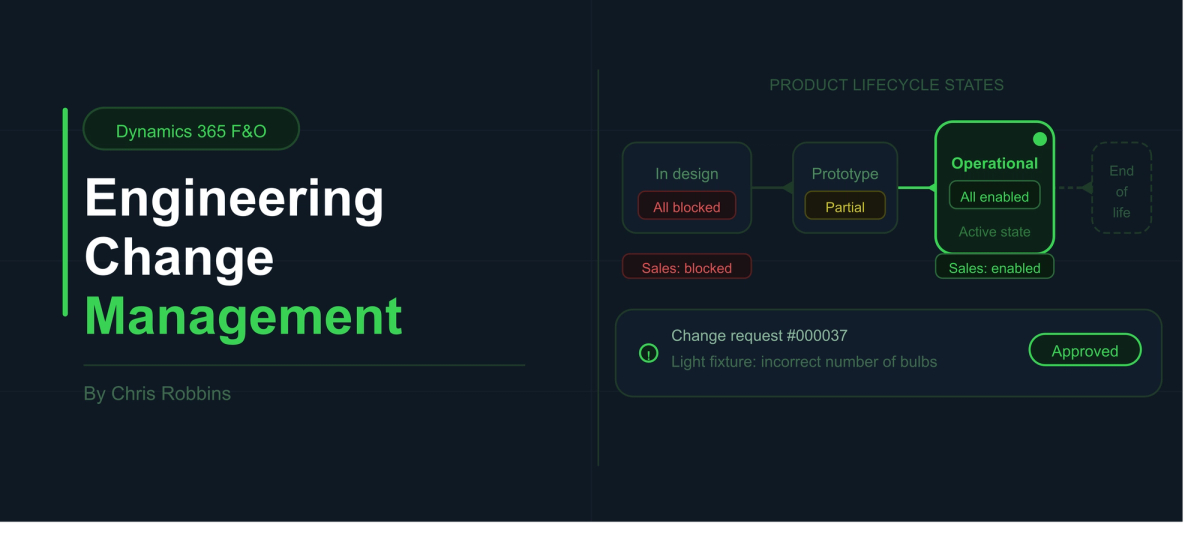
Engineering Change Management - Overview
If you have spent any time working with the Product Information Management module in Microsoft Dynamics 365 Finance and Operations, you already know how quickly product setup can become a mess. Multiple people touching different parts of the same item, no clear process for who has done what, products that get "retired" by tacking ZZ onto the end of the item number. It is a story I have seen at nearly every customer I have worked with.
Engineering Change Management (ECM) is Microsoft's answer to that problem, and in my experience it is one of the most underutilized modules in F&O. That is a shame, because it solves real pain points that come up on almost every project.
In this post we are going to have an overview of ECM, what it does, and some of its primary benefits.
What ECM Is Trying to Solve
Microsoft defines ECM as bringing structure and discipline to the product management process. The way I think about it: ECM gives you control over the full lifecycle of a product, from the moment it is created to the moment it is retired, with guardrails at every step along the way.
That means you can version products, track and approve changes to those products, enforce that all the right information is in place before something goes live, and actually block a product from being sold, purchased, or produced when it should not be. All of that happens inside Dynamics, not in a spreadsheet or a Power Automate workflow duct-taped to the side of your ERP.
Product Readiness Policies: Checks and Balances Before Go-Live
One of the first things I show customers when demoing ECM is product readiness policies. The idea is simple: before a product can be used in transactions, certain conditions have to be met. You define those conditions, assign them to the right people, and the system tracks completion.
There are two types of checks you can configure:
System checks are automated validations. For example, I can set up a check that asks "does this item have an active cost price?" and the system will go look for one. If it does not find one, the check fails and the product cannot proceed.
Manual checks are tasks assigned to specific people or teams. Maybe I am responsible for cost prices, a colleague handles BOMs and routings, and someone else owns default order settings. Instead of pinging each other on Teams to confirm who has finished what, everyone logs their completion directly in the system and it is visible to everyone involved.
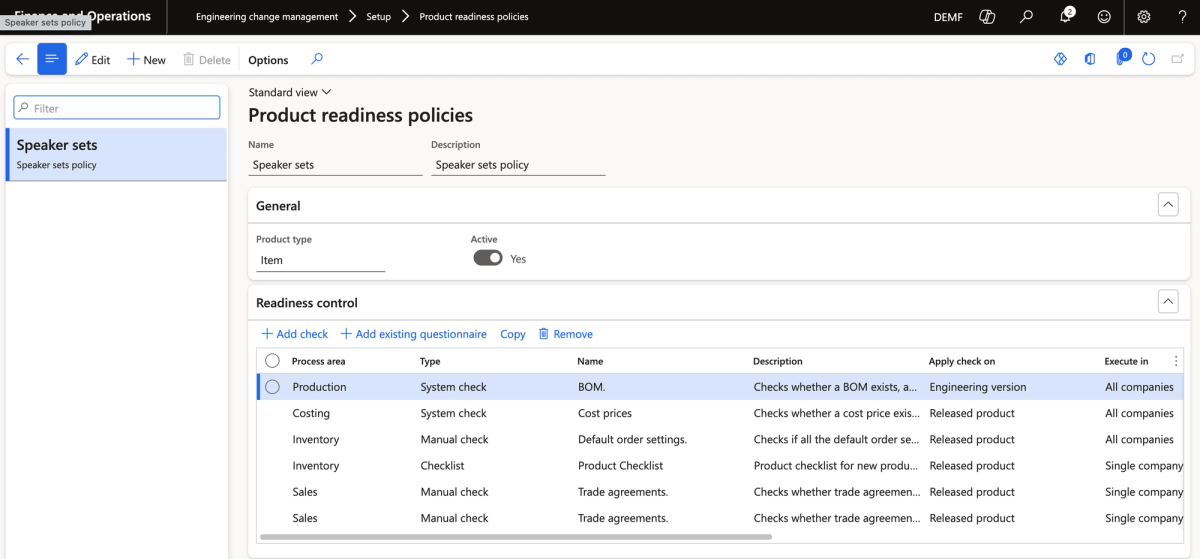
You can also specify exactly who is responsible for each check, whether that is a team or an individual person. The screenshot below shows how ownership is assigned across the policy, with some checks belonging to the High-line speaker Product Team and the cost price check assigned directly to a specific person.
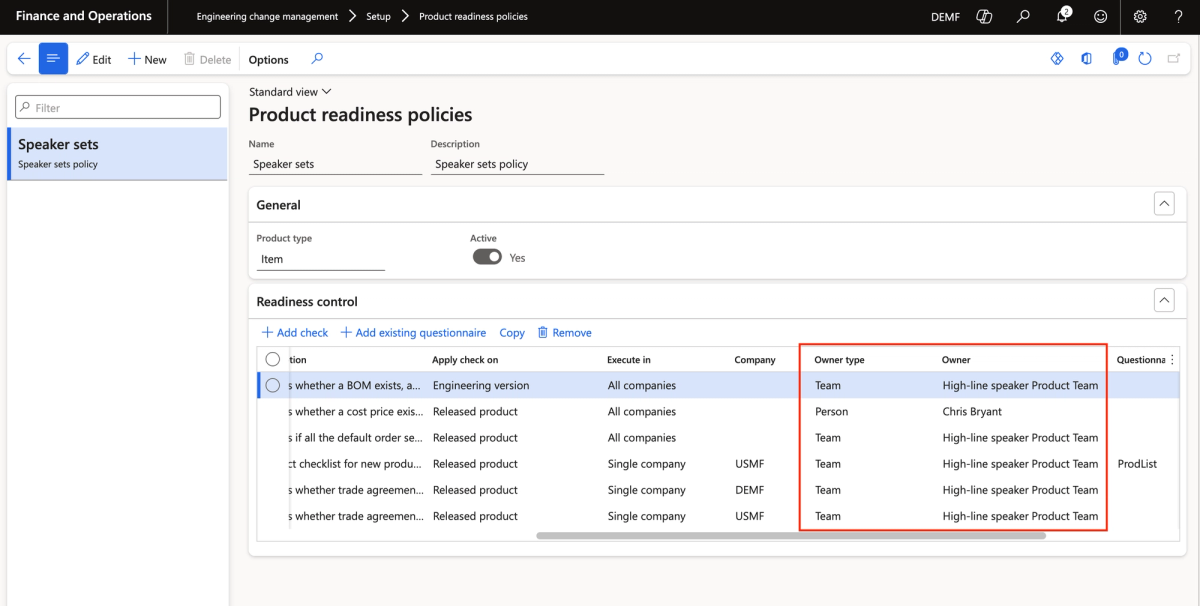
A lot of organizations try to replicate this kind of workflow in Power Automate, with varying degrees of success. ECM gives you the same outcome natively, without the chattiness and the context-switching between applications.
* Important note: The product readiness policy is set at the product master level, not on the released product. That means you need to start product creation from the Products screen, not the Released Products screen. It is a small but important distinction that trips people up. *
Product Lifecycle States: Finally, a Real Way to Retire Products
This is, frankly, one of my favorite features in all of ECM, because it solves something customers have been complaining about for as long as I have been working with Dynamics.
Product lifecycle states give you granular control over what transactions are allowed against a product at each stage of its life. You configure the states yourself (there are several out of the box, like In Design, Operational, End of Life, and Obsolete), and for each state you decide independently whether the product can be sold, quoted, purchased, planned against, produced, transferred, and so on.
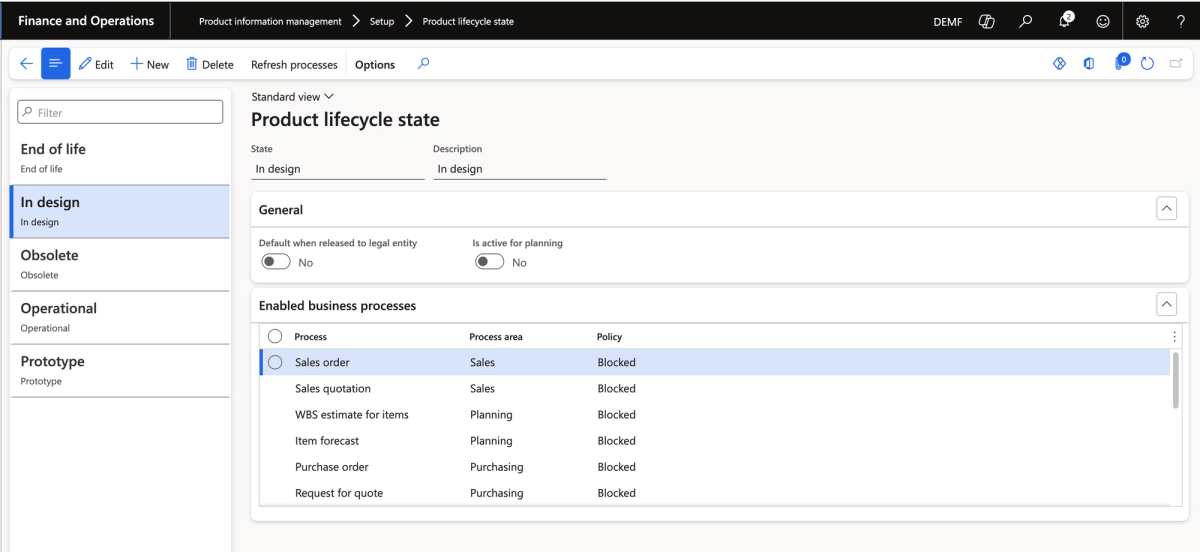
Here is what that looks like in practice:
- A product sitting in In Design can be completely locked from all transactions. Nobody can sell it, buy it, or plan against it while it is still being set up.
- A product at End of Life might still allow sales and transfers (so you can deplete existing inventory), but block all new purchasing and production.
- An Obsolete product can be fully locked across every process. If someone tries to put it on a sales order, the system stops them.
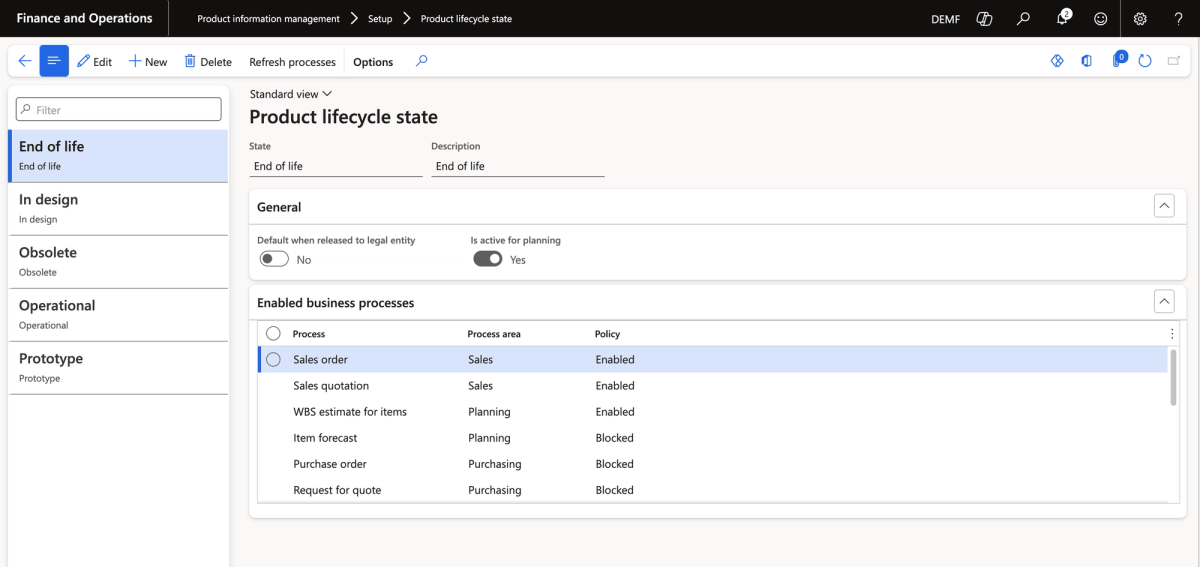
Lifecycle states can also be flipped back and forth as the situation requires. What makes this so powerful is how specific you can get. You are not just toggling a product "active" or "inactive." You are making precise decisions about exactly which business processes should and should not be accessible. That level of control has not really existed natively in Dynamics before ECM.
Change Requests and Change Orders: A Structured Process for Updates
When something needs to change on an existing product, ECM gives you a formal process for managing that from start to finish.
Change Requests
A change request is exactly what it sounds like: someone notices a problem or wants to propose a modification, and they submit a request documenting what the issue is. You can assign it a category, a priority (Emergency, Urgent, or Routine), and a severity, and include a written description of what needs to change.
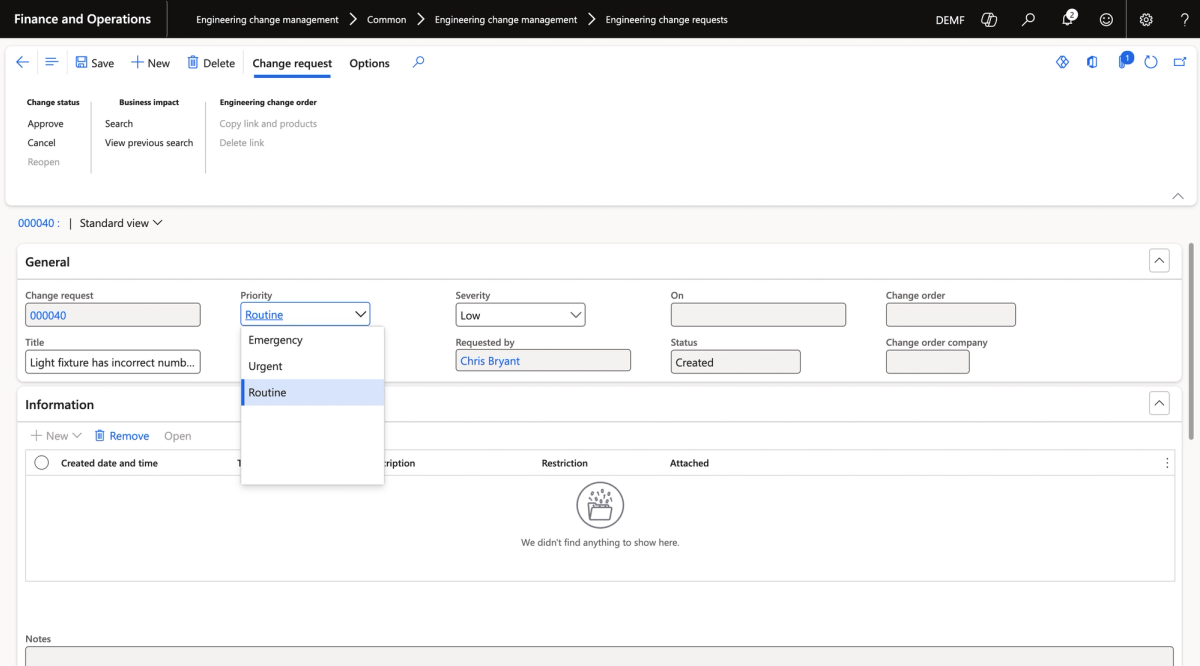
A simple example: imagine a light fixture product with six openings and six pieces of glass, but only four light bulbs in the BOM. Someone catches that discrepancy. They submit a change request, describe the issue, and attach the relevant product. The engineering or product team can then review it and decide how to proceed.
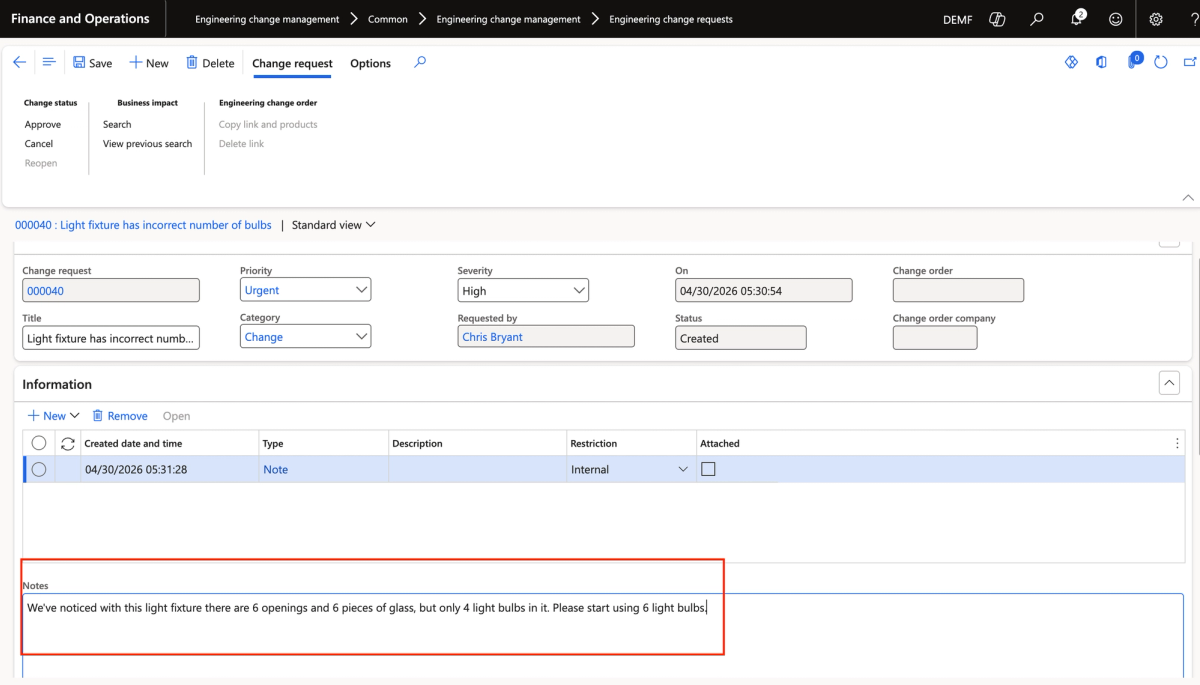
Business Impact Assessment
Before approving a change request and converting it to a change order, you can run a business impact search to see how many open sales orders, purchase orders, and production orders are currently tied to that product. From there, you can notify responsible parties or block transactions against the product while the change is being worked.
This is genuinely useful. Sometimes a change is minor enough that you just let existing orders run out. Other times, if the product defect affects safety or quality, you want to stop everything immediately. The business impact view gives you the information to make that call.
Change Orders
Once a change request is approved, it becomes a change order, where the actual modification work happens. You can update the BOM, change engineering attributes, attach documents, or specify a new product version. The system tracks what has changed, and when the change order is processed, the product advances to a new version with the updated configuration.
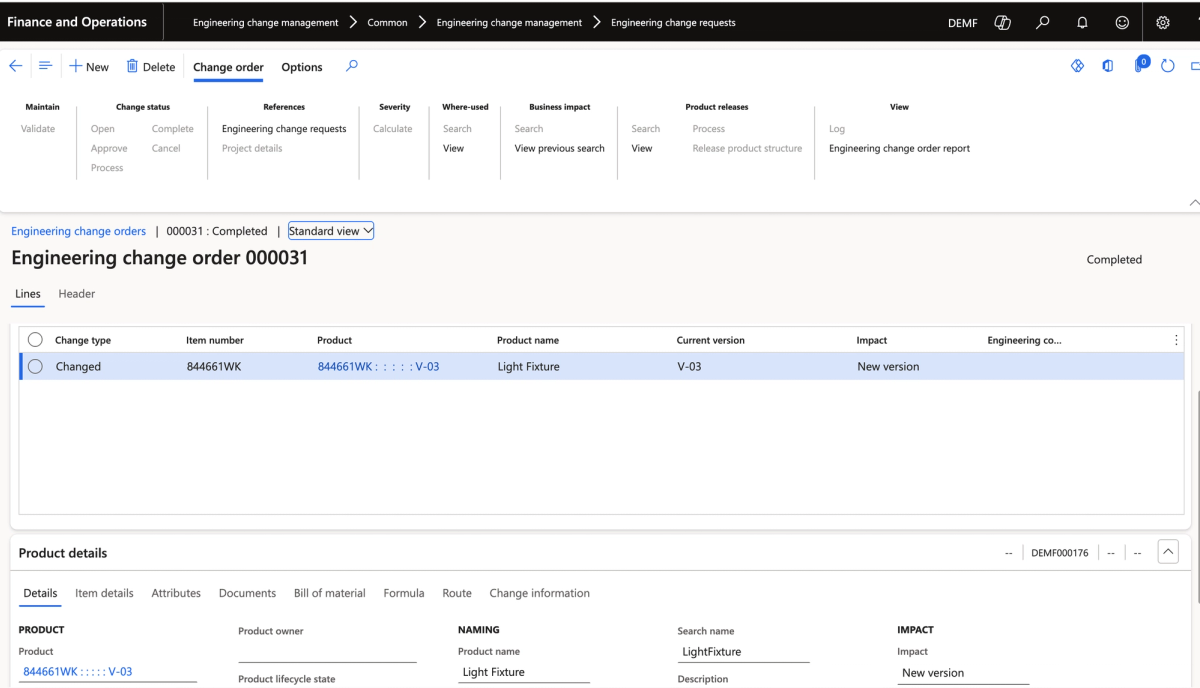
Both change requests and change orders can be routed through Dynamics workflows if you want formal approval steps built into the process.
The Result: A New Product Version
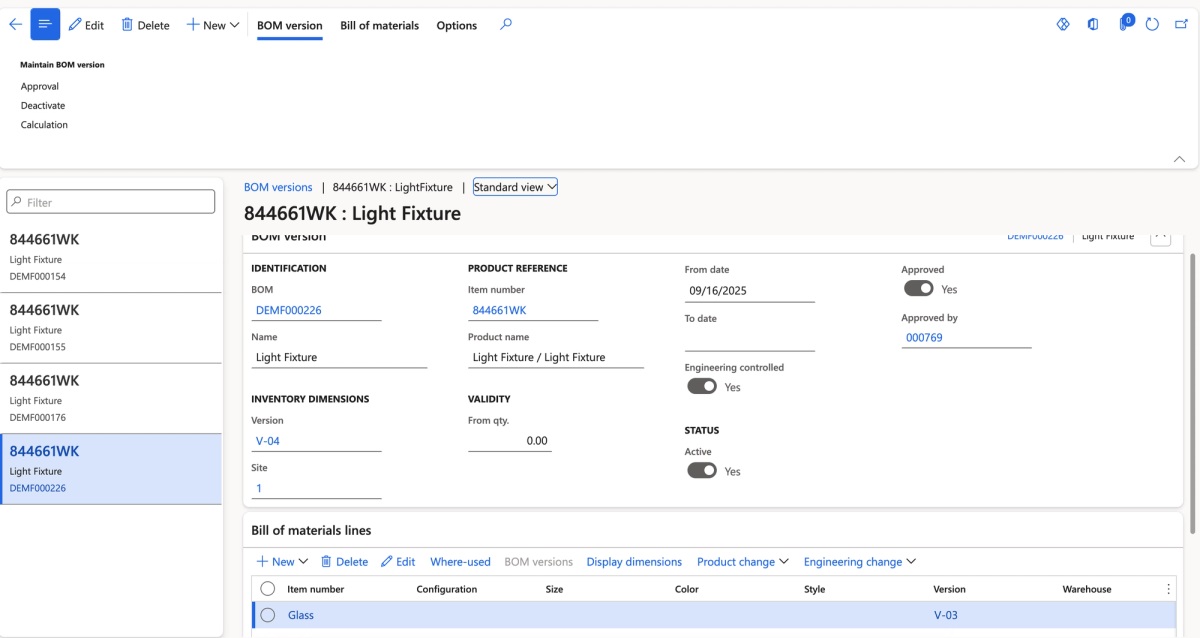
After updating the BOM inside the change order and processing it, the product advances to a new version. In this example, the light fixture moved from V-03 to V-04, with the BOM corrected to show six light bulbs matching the six pieces of glass.
Implementation Considerations
ECM is a genuinely strong module, but there are a few things worth knowing before you commit to it on a project.
It is better suited for greenfield implementations. To use ECM, a product's production type needs to be set to Planning Item, BOM, or Formula. In many existing Dynamics environments, items have production type set to None. That means a data cleanup effort is required before ECM can be applied to those products. Mass conversion through data management is possible, but it does not always behave the way you want it to.
It is not a replacement for the Quality module. ECM and Quality work alongside each other. A common workflow would be a failed quality test triggering a change request in ECM to address whatever product issue caused the failure. Think of them as complementary rather than overlapping.
Is ECM Right for You?
If any of these scenarios sound familiar, ECM is worth a closer look:
- Products get "retired" by adding ZZ to the item number because there is no other way to block them
- Product setup involves multiple departments with no visibility into who has completed their part
- BOM errors or missing product data get discovered after orders have already been placed
- There is no version control over products, or it is entirely manual
ECM will not solve every product management challenge, but for organizations that are serious about product data quality and lifecycle control, it is one of the best native tools available in F&O.